
Open source · Built by Zaiq
Your Mac, from your iPhone.
Your whole Mac, live on your iPhone: tap, type, open any app and zoom in, from anywhere. Your files, terminal and coding agents come with it. Free, open source, and no Palm server in between.
The iPhone app or your phone's browser · Mac with Apple silicon and macOS 26 or later · Tailscale
Screen
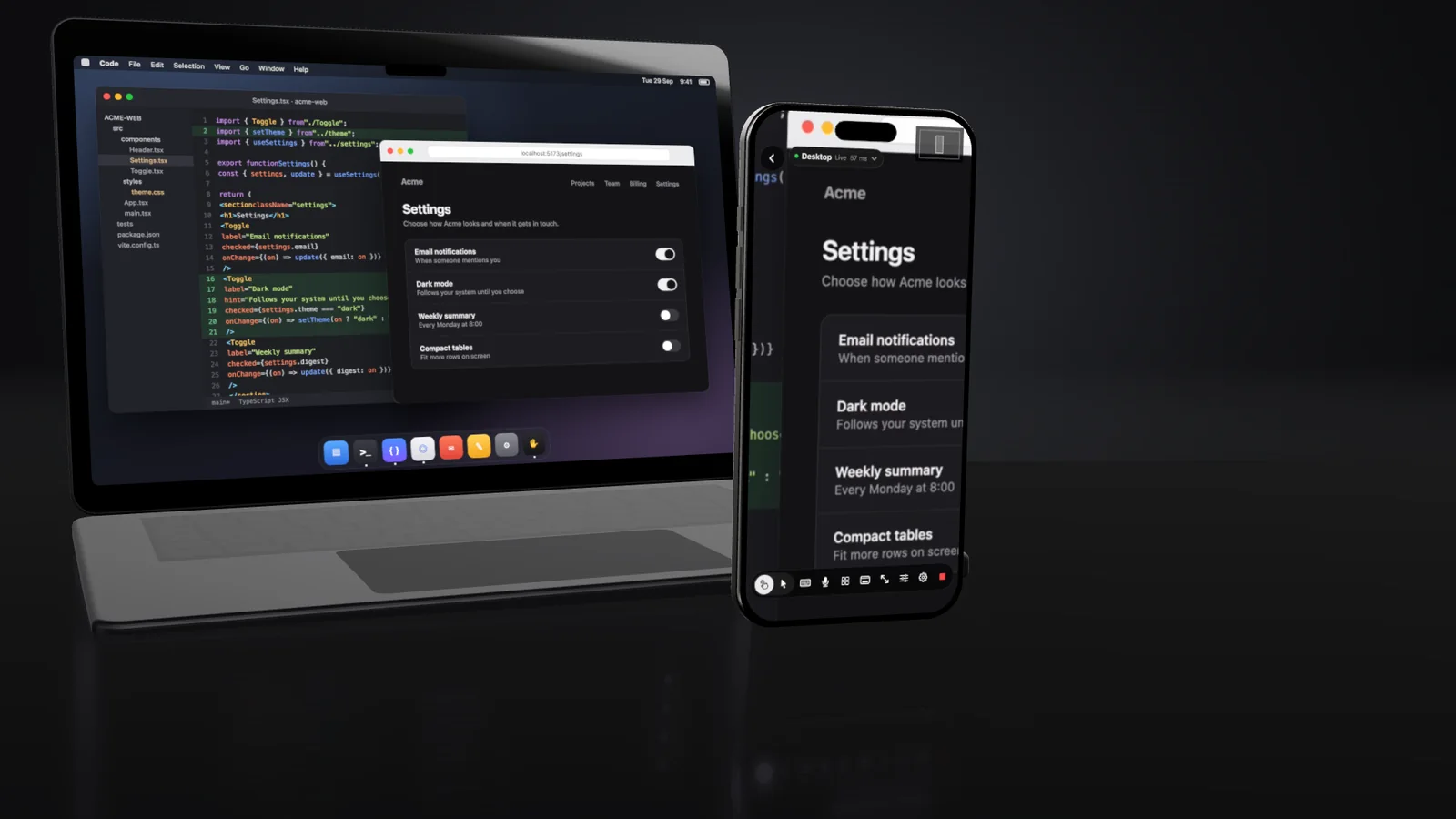
Your whole Mac. In your hand.
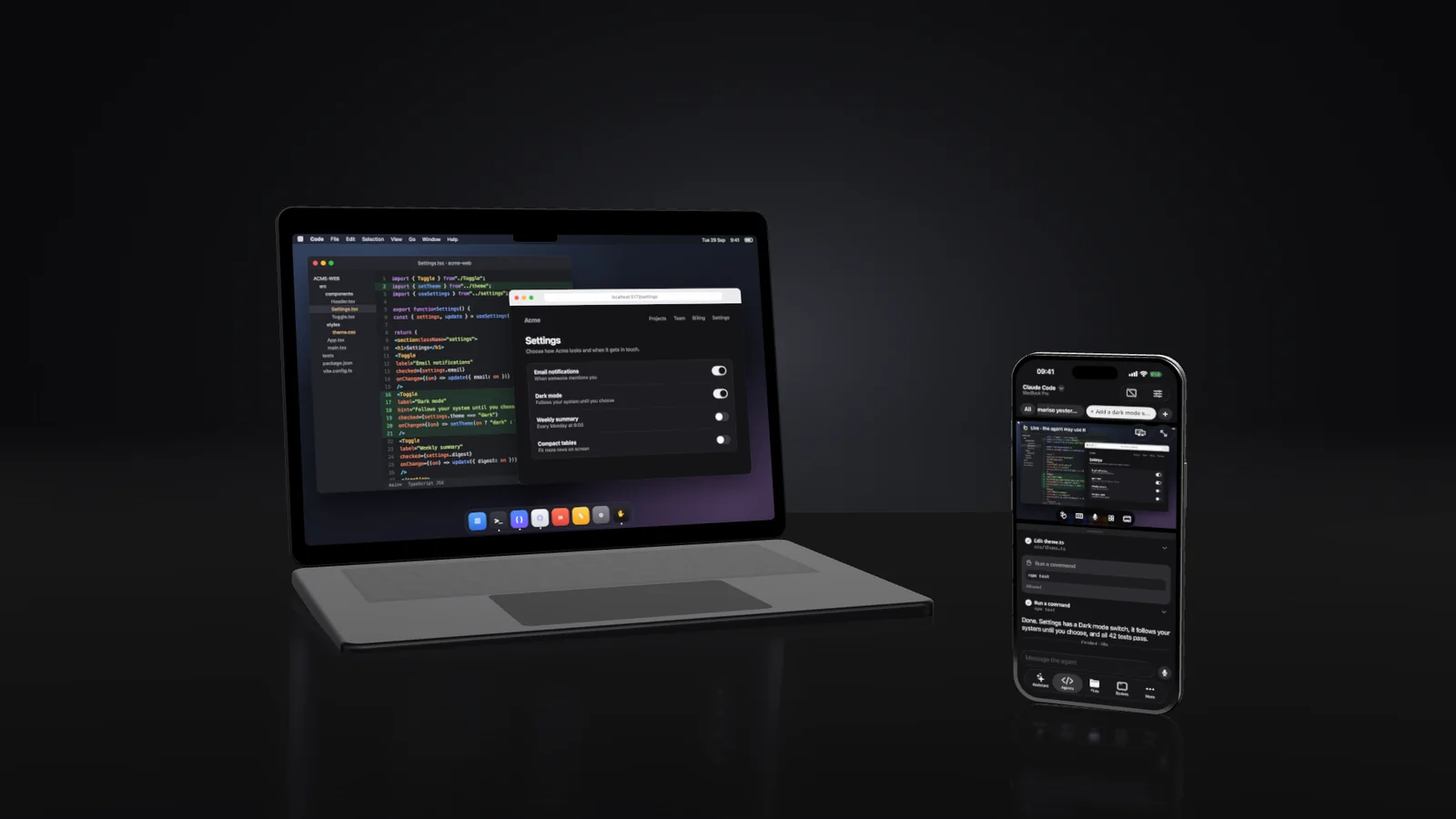
The live Mac screen at full size. Tap to click, type with the phone's keyboard, pinch to zoom, turn the phone sideways for the whole screen, and open any app from a list. Touch or mouse control, and copy and paste both ways. On a weak connection the picture softens instead of freezing.
Agents
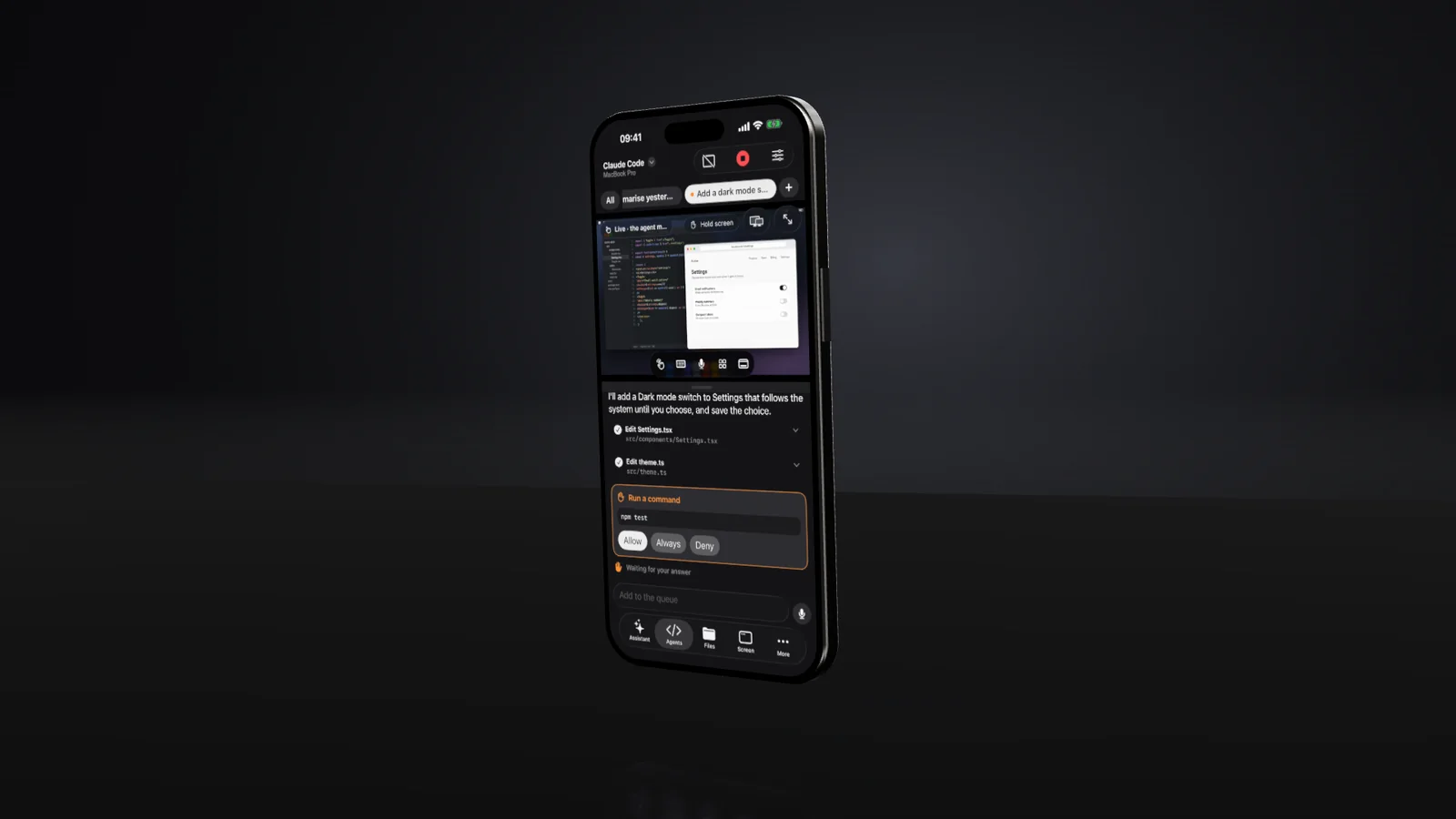
Tap Allow from anywhere.
Claude Code, Codex and any agent that speaks the Agent Client Protocol (Gemini CLI, Grok, GitHub Copilot, Cursor, OpenCode, goose) run on your Mac with their own sign-ins. Replies stream to your phone, approvals wait for your tap, Stop works, and the work carries on when you put the phone away.
Watch it land
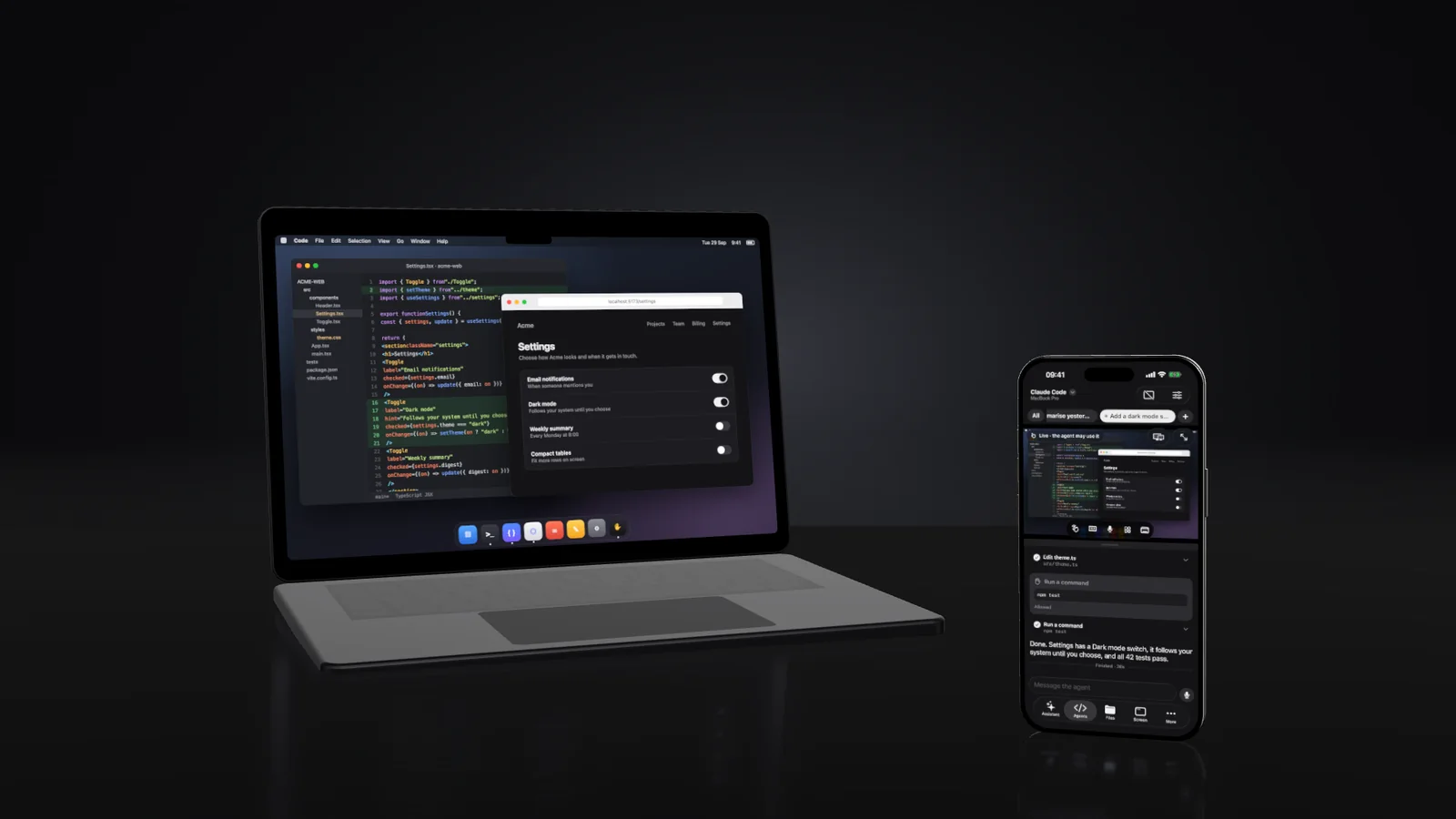
It happens on your Mac, in front of you.
Open the Mac's screen beside any chat to watch an agent's change land, take over when you need to, and hand the screen back.
Every agent
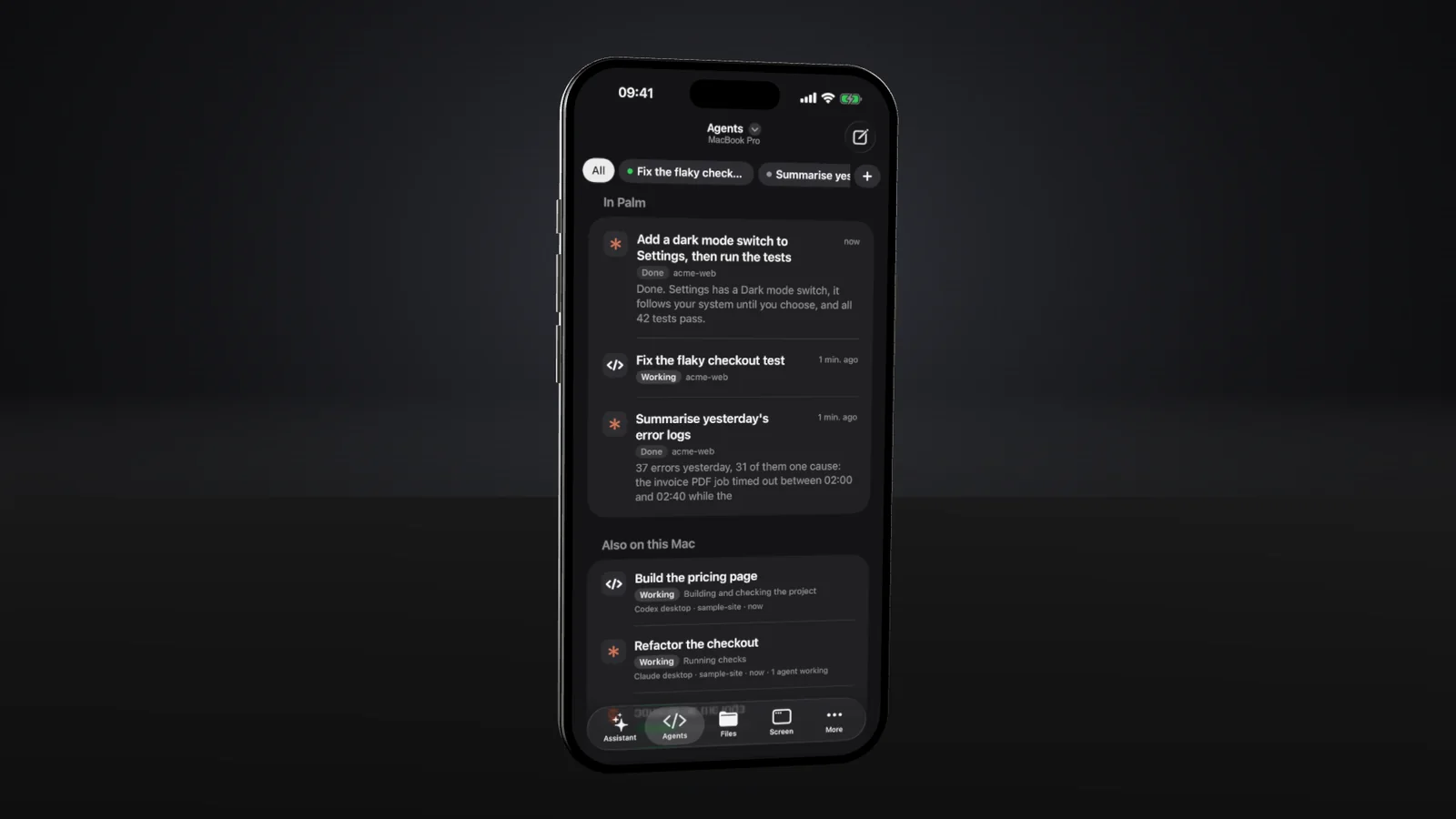
Every agent on your Mac. One list.
Claude Code, Codex and OpenCode sessions started anywhere on the Mac, in a terminal or the desktop apps, show with their status: working, needs you, finished or error. Palm reads their files and never drives an agent it did not start.
Files
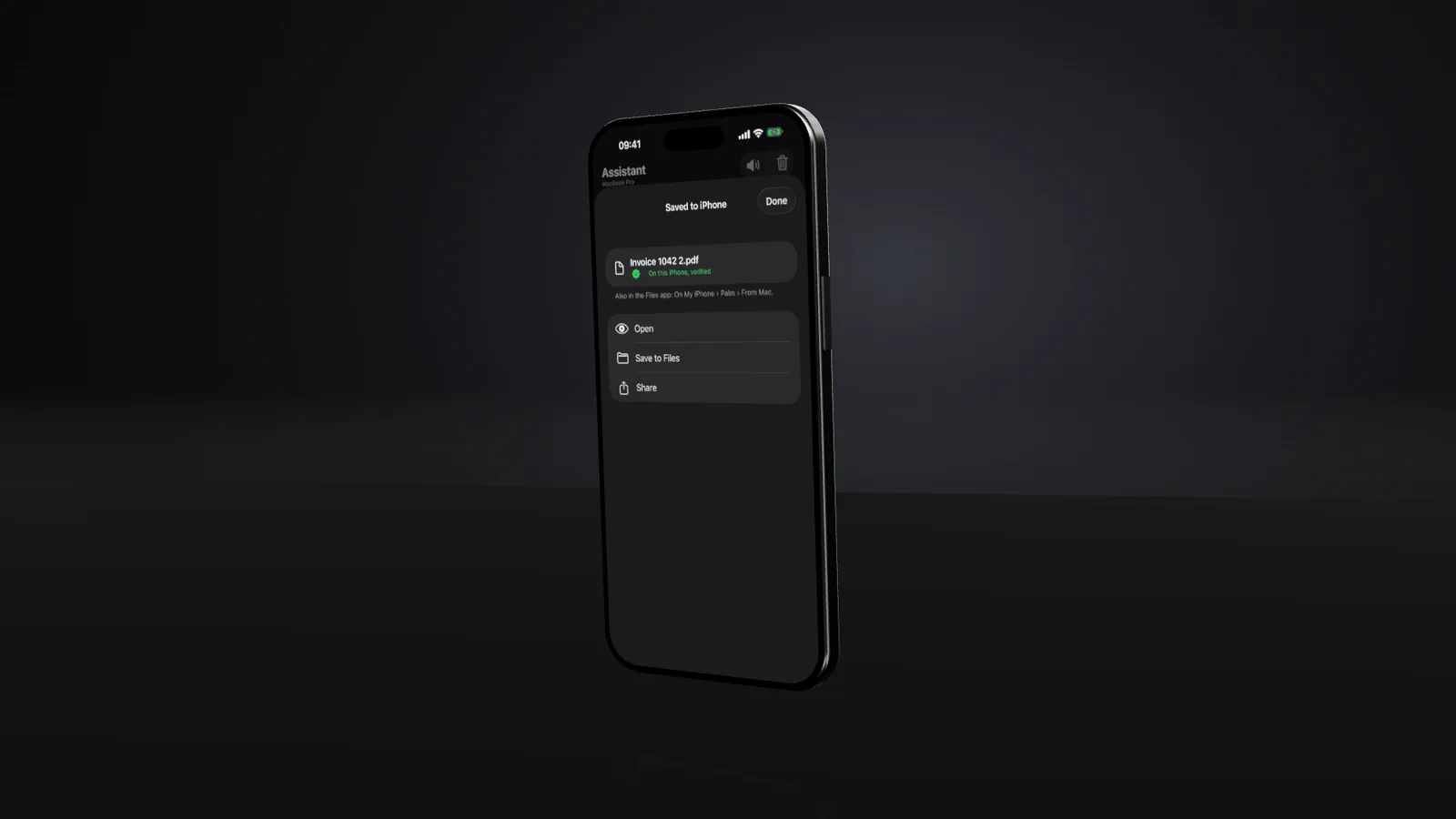
Ask for any file.
"Send me my latest invoice." Browse the whole Mac, newest first, send photos and files to any folder, and save any file to the phone. Every transfer is checked by SHA-256 on both ends.
And the rest of your Mac.
- Terminal
- Real shells with Esc, Tab, Control and the arrows. They survive leaving the app and Palm restarting.
- Previews
- Start a project's dev server and open it on the phone, privately, with hot reload.
- Camera and mic
- The Mac's camera and microphone as a call with echo cancellation.
- Voice
- A microphone wherever there is a keyboard, on your own OpenRouter key.
- Mac controls
- Lock, sleep, keep awake, display off, brightness and the clipboard.
- Several Macs
- Pair more than one Mac and switch between them from any tab.
How it works
Just your Mac and your phone.
A small host runs on your Mac, listening on 127.0.0.1 only. Tailscale Serve carries the connection to your phone across your own tailnet, and nowhere else. Agents run as the claude, codex and other agents already installed on your Mac, with your own sign-ins. Palm strips provider API keys from their environment, so billing never switches behind your back.
Download
Let your coding agent install it. Copy the prompt, paste it into Claude Code, Codex or any agent on your Mac, and it stops only for what needs you: allowing Palm in System Settings and pairing your phone.
What a paired phone can do
A paired iPhone can see and control the screen, reach every file your Mac account can, open shells and start agents. Credential folders such as ~/.ssh need a confirmation on the phone for every request, deletes go to the Trash, and no typed text, file content or screen image is ever logged. Read the security notes before you install it.
Questions
Is Palm free?
Yes. Palm is open source under the MIT licence. You build the Mac host from the code on GitHub, or let your coding agent do it. On the phone, use Palm in the browser, which needs no build, or build the iPhone app too. The optional voice features use your own OpenRouter key and cost a little per use.
Does Palm need an account or a server?
No. There is no Palm account and no Palm server. The Mac host listens only on your Mac, and the iPhone reaches it through your own Tailscale network. Nothing is exposed to the internet.
Does it work when I am away from home?
Yes, anywhere your iPhone and your Mac are both on your tailnet: at home, at work, on mobile data. The Mac has to be awake and logged in; Tailscale cannot wake a sleeping Mac.
Which coding agents does Palm work with?
Claude Code and Codex have their own adapters. Any agent that speaks the Agent Client Protocol works through one shared adapter, including Gemini CLI, Grok, GitHub Copilot, Cursor, OpenCode and goose. Each runs as the copy installed on your Mac, with your own sign-in.
Can my coding agent install Palm?
Yes. Copy the agent prompt on the download page into Claude Code, Codex or any coding agent on your Mac. It checks the Mac, builds and installs Palm and puts it on your tailnet, and stops for what only you can do: allowing Palm in System Settings, signing in to Tailscale and pairing your phone.
Is Palm on the App Store?
Not yet. Use Palm in your phone's browser, with nothing to install on the phone, or build the iPhone app with Xcode and install it on your own iPhone. With a free Apple account the app runs for 7 days before it needs reinstalling.
Is there a Windows or Android version?
The Mac host is macOS only: screen capture, input and system controls use Apple's frameworks. On the phone side the app is native iOS; the browser version is built for Safari on iPhone and should work in Chrome on Android, which has not been tested.
Need a system like this built for your business?
Zaiq builds AI systems and custom software that ship. Palm is one we built for our own work and opened up. Tell us the job and we will quote it as one fixed price in rand.
Palm is not affiliated with Apple, Anthropic, OpenAI or Tailscale. See other Zaiq work.