
Open source · Built by Zaiq
Hold a key. Speak. It's typed.
Quick Dictate is voice typing for every app on your Mac. Hold ⌥ Option+⌘ Command, say what you want to write, let go, and the text lands where you were typing. Free, open source, and no account.
Mac with macOS 14 or later · Apple silicon or Intel · Your own OpenRouter key
Dictate
Hold a key. Speak. It's typed.
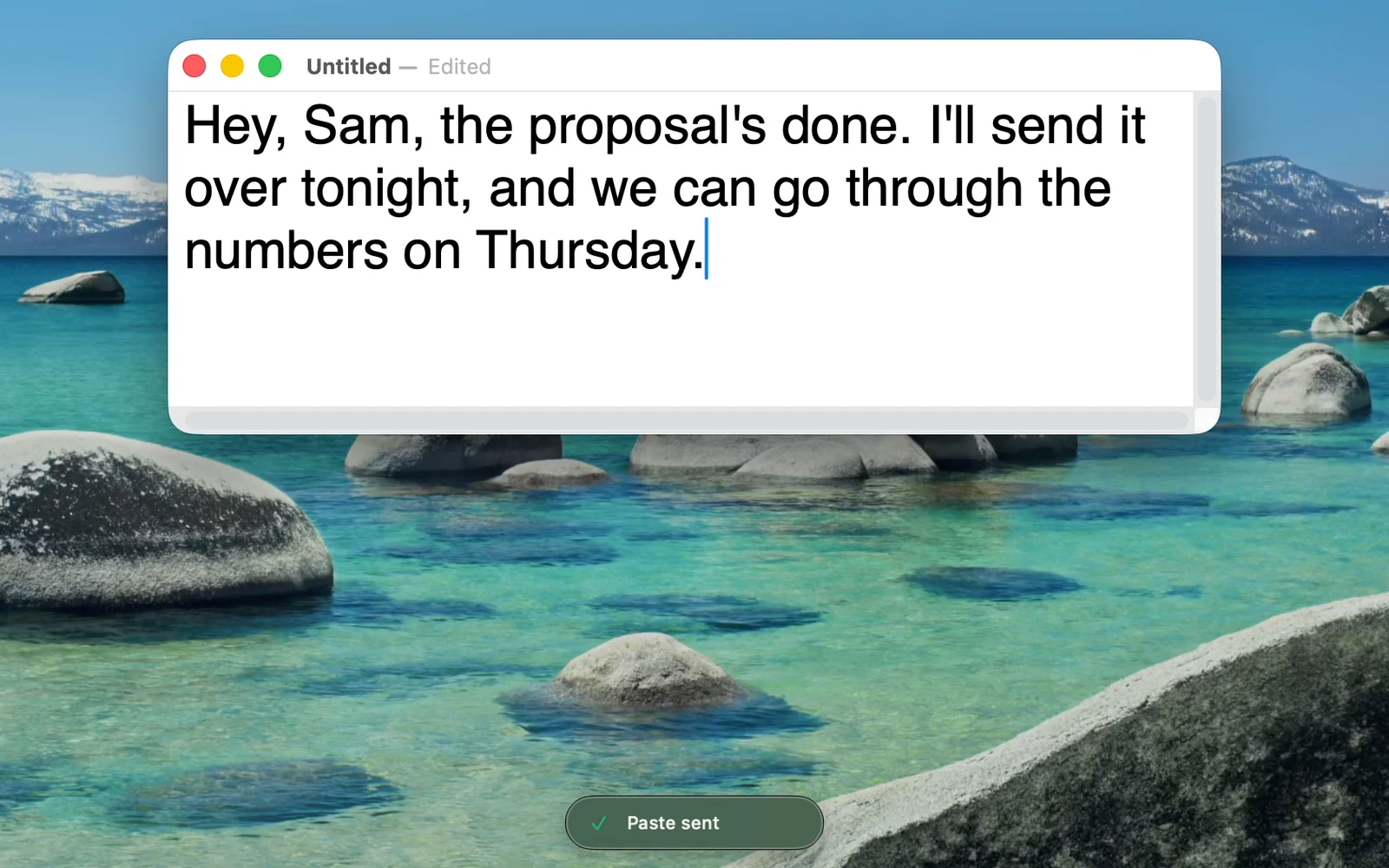
Hold Option + Command in any app, talk, and let go. Microsoft's MAI-Transcribe-2 turns your words into text, usually in a second or two, and Quick Dictate pastes it straight into the field you were typing in. It never presses Return or sends anything for you.
Polish
Ramble in. A clear message out.
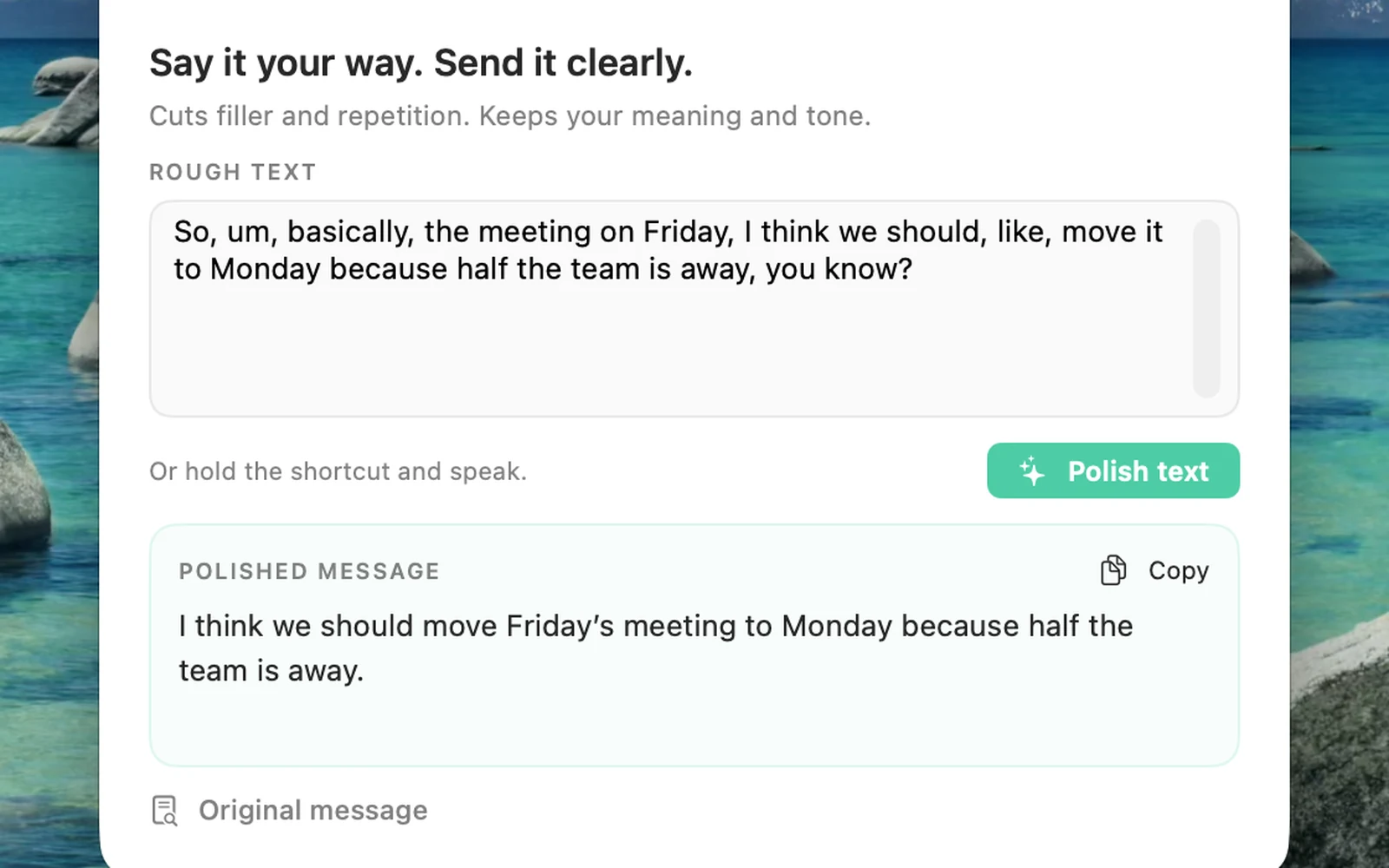
Hold Option + Command + P and say it however it comes out. Polish takes out the ums, repeats and false starts, keeps your meaning and your tone, and pastes a clean message. What you actually said stays one click away.
Your words
Names spelt your way.
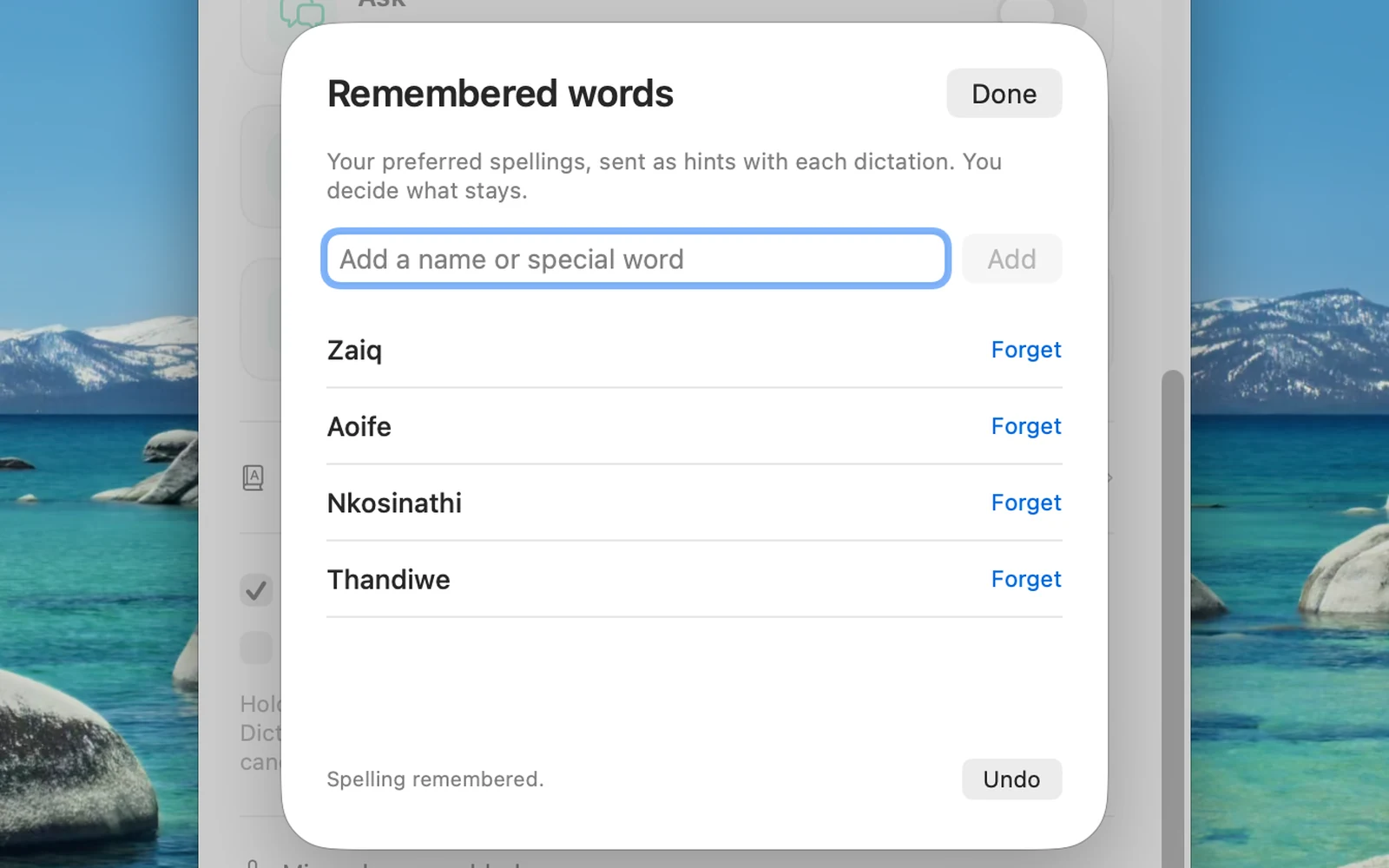
Fix a misheard name once and choose Remember. Quick Dictate sends the spellings you save as hints with every dictation. Only the words you save are kept, never your transcripts.
Make it yours
Only the modes you want.
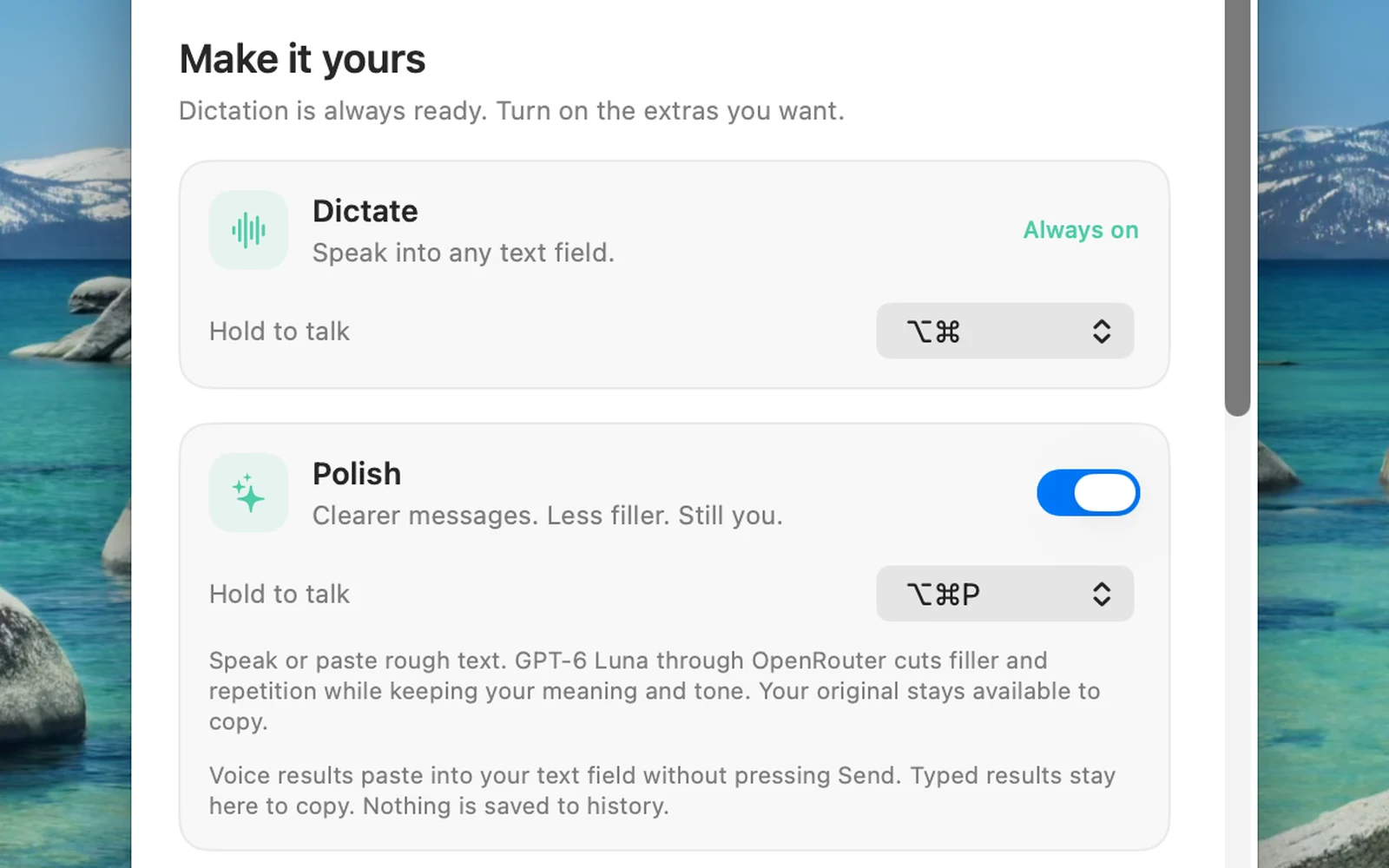
Dictate works from the start. Polish, Ask, Do and Full Control are separate switches, each with its own shortcut. Prefer Control? Hold Control to dictate, or tap it twice to talk hands-free and tap once to finish.
And when you want more.
- Any app
- Anywhere you can type: email, chat, documents, the browser, the terminal. Password fields are skipped.
- Ask
- Ask a question out loud and hear the answer, with a quick web search when it needs one. Off until you switch it on.
- Do
- Say what you want done: it proposes a terminal command or opens an app, file or site, and waits for your OK.
- Full Control
- Hands the task to your own Codex CLI to carry out on your Mac without asking first. Off until you choose it.
- Spoken replies
- Voice requests are answered out loud; typed ones stay quiet unless you ask.
- Tiny on screen
- A small pill with a live level meter while you talk, and nothing in the way when you don't.
How it works
Your Mac, your key, nothing in between.
While you hold the keys, Quick Dictate records to a temporary file. When you let go it sends that file to Microsoft's MAI-Transcribe-2 through OpenRouter with your own key, pastes the text and deletes the recording. There is no Quick Dictate server, no account and no transcript history, and your key stays in your Mac's Keychain. Transcription measured at about 3 cents a minute in rand (US$0.0017 a minute, 29 September 2026).
Install
You need a Mac with macOS 14 or later and an OpenRouter key. The full steps are in the README.
1. Get Apple's free tools
xcode-select --installOnce per Mac. Skip it if you already have Xcode.
2. Build and install
git clone https://github.com/zaiqltd/quick-dictate
cd quick-dictate
./scripts/install.sh
Builds the app, puts it in Applications and opens it.
3. Add your key
Create a key at openrouter.ai, then paste it in Quick Dictate's Settings and click Save key. It goes into your Mac's Keychain.
4. Allow it and talk
Allow the microphone, and Quick Dictate under Privacy & Security → Accessibility. Then click into any text field, hold ⌥ Option+⌘ Command, speak and let go.
What it sends, and what it can do
Dictate and Polish record only while you hold the keys, and only that recording (plus any words you chose to remember) goes to OpenRouter. Reading the text you have selected is off unless you switch it on. Do shows every command before it runs. Full Control lets your own Codex CLI act on your Mac without asking, so it stays off until you turn it on. The README covers each mode in detail.
Questions
Is Quick Dictate free?
Yes. The app is open source under the MIT licence and costs nothing. It uses your own OpenRouter key, and OpenRouter bills you for what you use: transcription measured at about US$0.0017 a minute on 29 September 2026, around 3 cents in rand, so an hour of talking is roughly R1.60.
Does it keep my recordings or what I say?
No. The recording is a temporary file that is deleted once the text comes back. There is no Quick Dictate server, no account and no transcript history. Only the words you choose to remember are saved, on your Mac.
Which apps does it work in?
Any Mac app with a text field. The text is pasted into the field you were in when you started talking. If you switch somewhere else while it works, the text is copied instead, so you can paste it yourself. Password fields are skipped.
How is it different from the Mac's own dictation?
Apple's dictation is built in and free. Quick Dictate is for holding one key in any app and having the text land where you were writing, with Polish to turn rambling into a clear message. It uses Microsoft's MAI-Transcribe-2 in the cloud through your own OpenRouter key.
What do I need to run it?
A Mac with macOS 14 or later, Apple silicon or Intel, Apple's free command line tools, and an OpenRouter key. You build it from the code on GitHub with one script; there is no App Store version yet.
Is there a Windows version?
No. Quick Dictate is a native Mac app built on Apple's frameworks for recording, shortcuts and pasting.
Need a tool like this built for your team?
Zaiq builds AI systems and custom software that ship. Quick Dictate is one we built for our own work and opened up. Tell us the job and we will quote it as one fixed price in rand.
Quick Dictate is not affiliated with Apple, Microsoft, OpenAI or OpenRouter. See Palm, our other open-source app.